See your ballot.
Federal, state, and local races where available, plus ballot measures and official voter information.
 VOTE
VOTECalifornia Special Preview
Pro-America. Pro-Israel.
Your ballot.
Political intelligence for the races at your address.
Check my ballot coverageCalifornia at launch. Other states online soon.
Enter your address to see if your state is available.
November 3, 2026 · General election

Personal to your address
Enter your street address, city, state, and ZIP to match your districts and find available races.
Federal, state, and local races where available, plus ballot measures and official voter information.
Review candidate scores, public records, and separately labeled ICAN endorsements or oppositions. Pending research is clearly marked.
Request a private inbox link, valid for 30 days, or print your guide. Revisit the online version for the latest published information.
ICAN | Vote is a voter guide, not an official ballot.
Live ICAN Index™ scores
Your guide keeps updating.
Even while ballots are out.
New votes, statements, and actions can change a candidate’s record. As new evidence is reviewed, accepted, and published, the online guide updates the scores—so you can check the latest record before you vote.
From −3 to +3, scores reflect a candidate’s alignment with ICAN’s priorities, including antisemitism and the U.S.–Israel alliance.
Submitting information starts a review. Accepted, published evidence can change a score; unreviewed submissions do not. ICAN endorsements and oppositions are labeled separately, and pending research does not mean neutral.
A printed guide reflects the information available when you printed it. Revisit the online guide for current scores and coverage.
Read the scoring methodologyCommunity evidence
Help ICAN see the full candidate record.
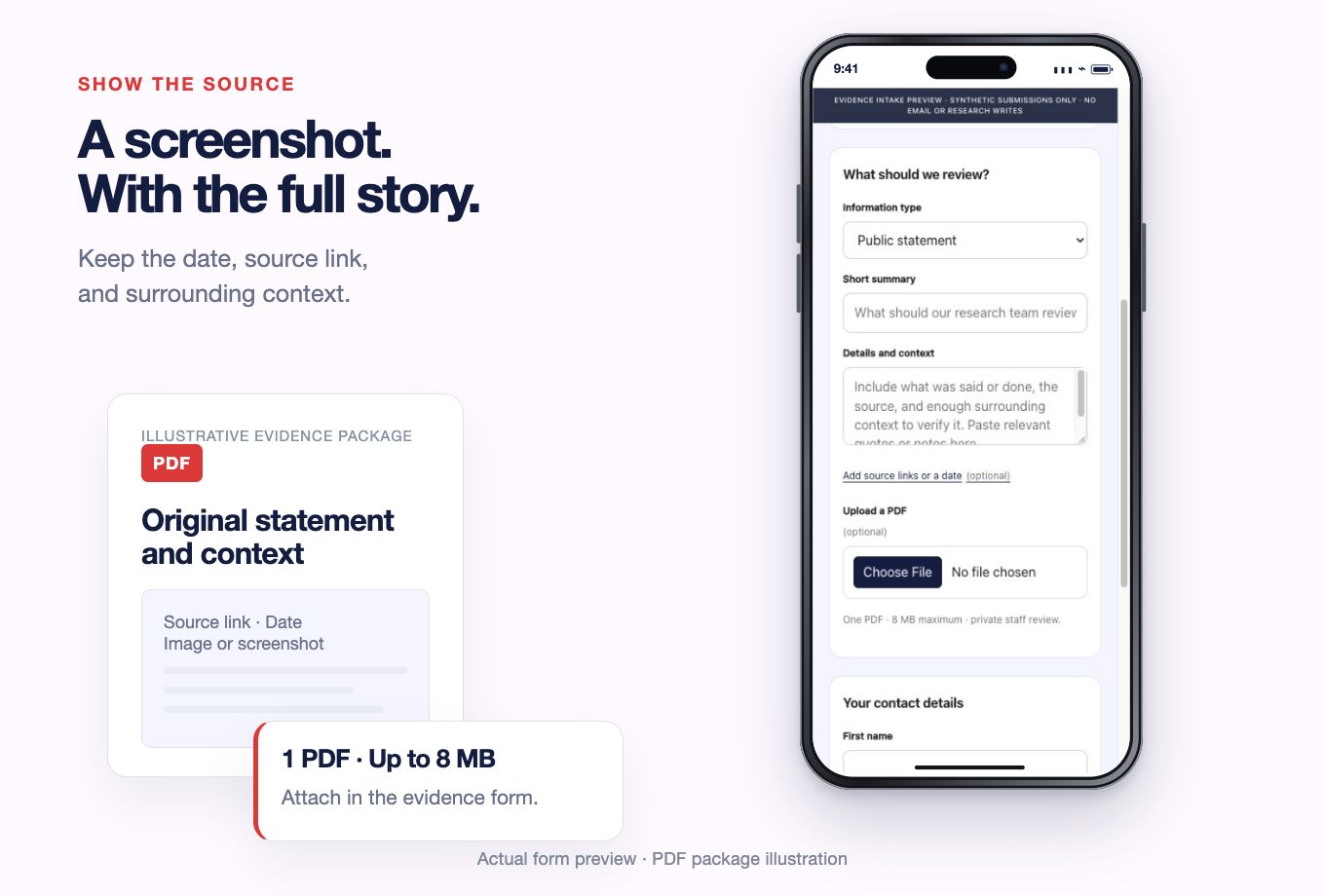
Use the button on your guide or the information icon beside a candidate. Select the candidate, or enter their name, office, and jurisdiction.
Add a summary, date, and context, with up to five source links. Combine images or screenshots into one PDF, up to 8 MB.
Leave your name and email so staff can verify the information. A submission starts a review; it does not automatically change a published score.
California at launch. Other states online soon.
Enter your address to see if your state is available. California leads the rollout as we test and refine the new features. Other states are being added, with federal and state coverage first and local races where available.
Local coverage expands as ballot demand grows. Your address request helps identify where research is needed.
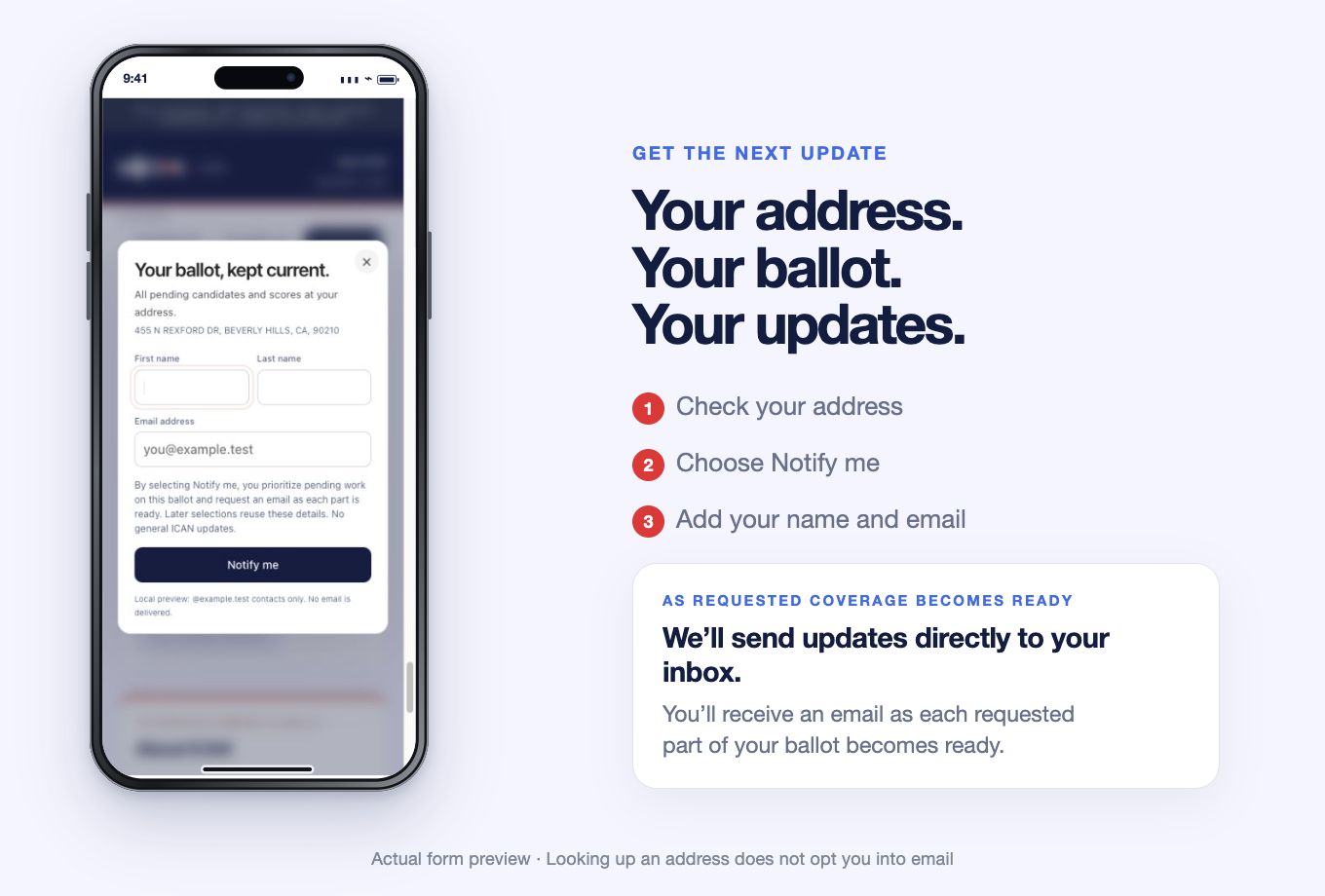
Choose “Notify me” for a pending race or the pending parts of your ballot, then add your name and email. You’ll receive an email as each requested part becomes ready. You can cancel pending requests; an address lookup alone does not subscribe you.
2026 Midterms
Find your guide. Share evidence. Stay informed.
Check my ballot coveragePaid for by the Israeli-American Civic Action Network (ICAN).
Not authorized by any candidate or candidate committee.